For a lot of local businesses, the Google profile is the first thing new customers see, often before the website or the Instagram. It's what shows up when someone searches your name, or searches for what you do nearby.
Here are the twelve things we check first when we look at a client's profile. Most take a few minutes. Open your profile at google.com/business, or search your business name on Google while signed in, and go down the list.
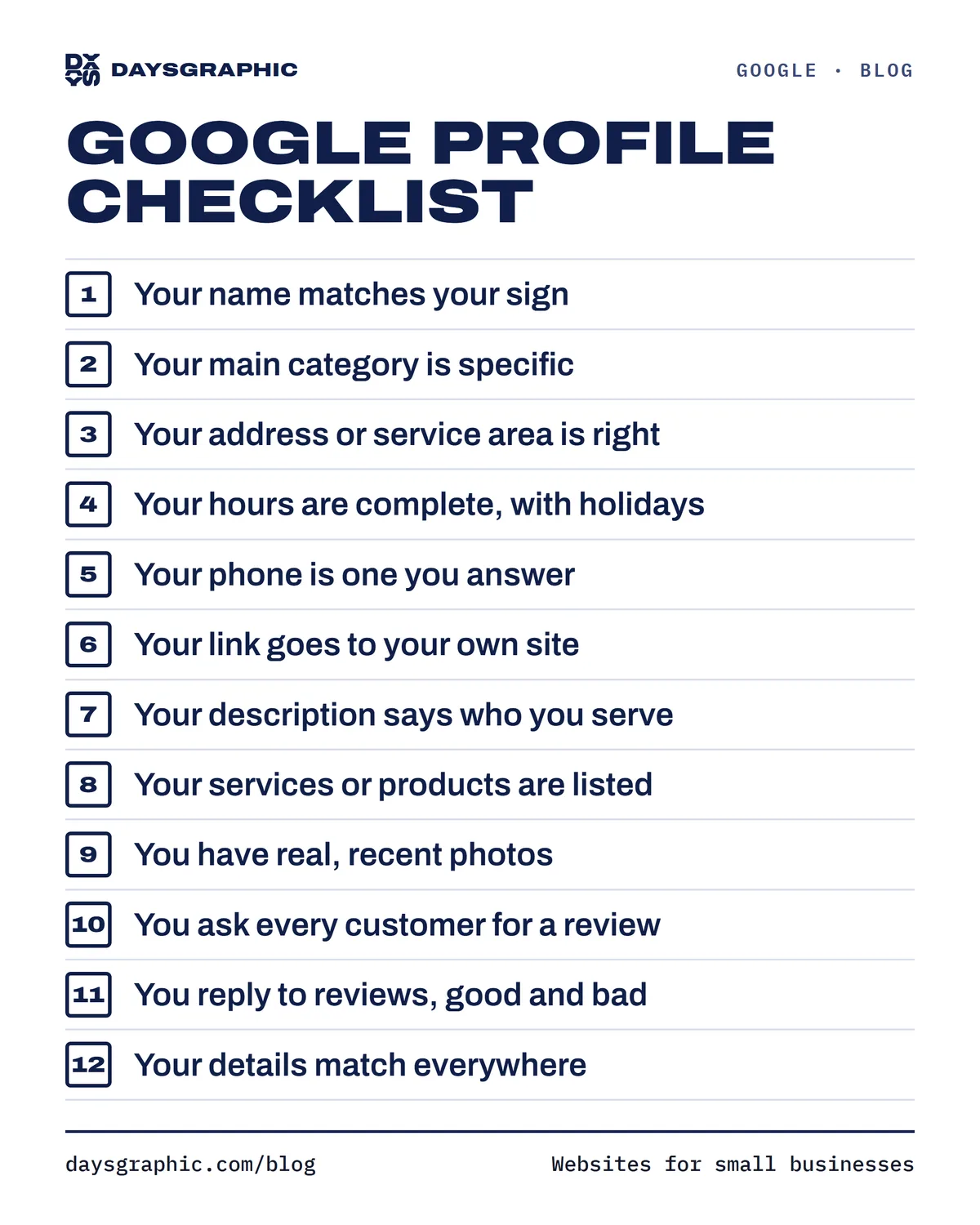
1. Your name matches your sign
Use your real business name, exactly as it appears on your storefront, card or website. Adding extra words ("Bella Nails, Best Manicure in Brooklyn") breaks Google's rules and can get the profile suspended.
2. Your main category is specific
Your primary category tells Google what searches you belong in. Pick the most specific one: "Nail salon", not "Beauty salon"; "Mexican restaurant", not "Restaurant". Then add secondary categories for the other things you really do.
3. Your address or service area is right
If customers visit you, check that the pin sits on your actual door. If you go to them, set the areas you serve and hide your address.
4. Your hours are complete, including holidays
Wrong hours are one of the fastest ways to lose a customer for good: nobody forgets showing up to a locked door. Add special hours for holidays, and update them when you close early or open late.
5. Your phone number is one you answer
Use the number customers actually reach you on, and use the same number on your website and anywhere else you're listed. If you mostly talk to customers on WhatsApp, use that number.
6. Your website link goes to your own site
Link your own website if you have one, or a booking page if that's where people book. A link to a page that's down or out of date costs you the customer at the last step.
7. Your description says who you serve
You get up to 750 characters. Say what you do, who it's for, where you work and what makes you different, in plain words. Write it for people, not for search engines; Google reads it the same way.
8. Your services or products are listed
Add your main services or products, with prices when you can. Customers compare before they call, and a listing with prices saves them the "how much?" message.
9. You have real, recent photos
Add photos of the outside (so people recognize your door), the inside, your work and your team, plus your logo and a cover photo. Add new ones every few weeks. Stock photos and a single blurry picture make a business look closed, even when it isn't.
10. You ask every customer for a review
The profile has a "Get more reviews" option that gives you a short link. Send it to every customer after their visit, print it on a card, or put it in your follow-up message. Ask everyone, not only the customers you expect to be happy: Google doesn’t allow asking selectively, or offering anything in return for a review. A steady trickle of new reviews matters more than a big batch from two years ago.
11. You reply to reviews, good and bad
A short thank-you to good reviews shows you're paying attention. For a bad review, stay calm, take responsibility for what you can, and offer to fix it. Future customers read your reply as much as the review.
12. Your details match everywhere
Your name, address and phone number should be the same on your Google profile, your website, Instagram, Yelp and any directory you're on. Matching details help Google trust that it has the right information, and help customers trust it too.
Bonus: post updates now and then
Profile posts are a simple way to show you're active: an offer, a new service, holiday hours, a recent project. They don't need to be fancy.
Want us to run the checklist for you?
Our free checkup scores your Google profile, reviews, website and contact options out of 100 and lists what to fix first. It takes about a minute. If you're not on Google yet, start with how to get your business on Google Maps.
Want us to keep it up for you? That's what our Local plan does every month: posts, photos, review replies and a report of the calls it brings in.