When someone nearby types "nail salon near me" or "notary Brooklyn" into Google, the first thing they usually see is a map with a short list of businesses. Those listings come from Google Business Profile, and it's free. If your business isn't there, the people searching for exactly what you do never find you.
Here's how to get on the map, in the order we'd do it for a client.
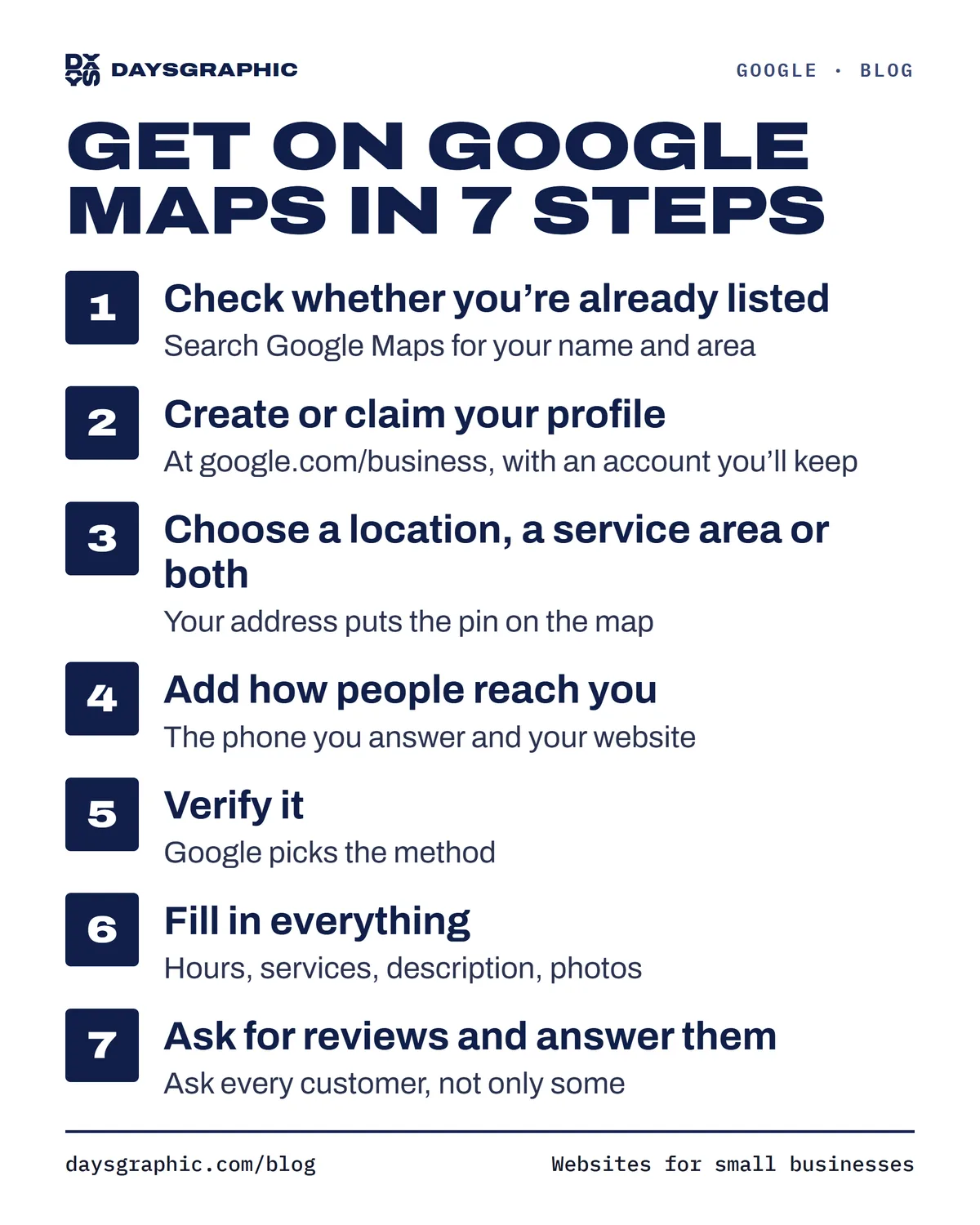
1. Check whether you're already listed
Open Google Maps and search for your business name and neighborhood. Google sometimes creates a listing on its own, or a customer adds one. If you find yourself:
- If the listing says "Own this business?" or "Claim this business", nobody manages it yet. Tap it and follow the steps to claim it.
- If someone else already manages it (a former partner, an old agency), Google will let you request access from inside the listing.
If you find nothing, you'll create a new profile in the next step. Don't make a second one if a listing already exists: duplicates split your reviews and confuse Google.
2. Create or claim your profile
Go to google.com/business and sign in with a Google account you'll keep for years. A business email is better than a personal one you might lose.
Then fill in the basics:
- Business name: exactly what's on your sign, card or storefront. Don't add keywords like "Best Nail Salon Brooklyn"; that's against Google's rules and can get the profile suspended.
- Primary category: the most specific one that fits, like "Nail salon" rather than "Beauty". You can add more categories later.
3. Choose a location, a service area or both
- If customers come to you, add your address. It's what puts the pin on the map.
- If you go to them (cleaning, mobile notary, repairs, catering), add the areas you serve and hide your address. Google allows this for service businesses, and it's the right setup if you work from home.
4. Add how people reach you
Add the phone number you actually answer and your website. If you don't have a website yet, a booking link works, but a real site gives people more reasons to choose you (more on that in Do I need a website if I have Instagram?).
5. Verify it
Google needs to confirm the business is real before the profile goes fully public. It picks the method for you, usually one of these:
- a short video showing your sign, your workspace or the tools you use,
- a phone call or text with a code,
- an email,
- a postcard with a code, mailed to your address.
Verification often takes a few days, sometimes longer. While it's pending, avoid changing your name, address or category: edits to those can send the profile back for another review.
6. Fill in everything
A verified profile with blanks is still easy to skip. Before you call it done, add:
- Hours, including holiday hours when they change.
- A description of what you do and who you serve.
- Your services or products, with prices if you can.
- Photos: the outside (so people recognize your door), the inside, your work and your team. Add new ones over time.
We go through each of these in the Google Business Profile checklist.
7. Ask for reviews and answer them
Reviews are the part customers read most. Ask every customer, not only the ones you think loved it (Google doesn’t allow picking and choosing), and make it easy: your profile has a "Get more reviews" option with a short link you can text or put on a card. Reply to every review, the good and the bad. A calm, helpful reply to a bad review often reassures the next customer more than five stars do.
Why you might be listed and still not show up
Google says local results are based on three things:
- Relevance: how well your profile matches what someone searched. A specific category, a full description and a list of services help here.
- Distance: how far you are from the person searching, or from the area they named. In a dense city like New York, this narrows things quickly.
- Prominence: how well known the business is, which includes your reviews and how you appear around the web.
You can't move your shop closer to every customer, but relevance and prominence are mostly in your hands: a complete profile, steady reviews, and the same name, address and phone number on your profile, your website and anywhere else you're listed.
Not sure where you stand?
Our free checkup looks at your Google profile, reviews and website the way a customer would, scores each part, and shows you what to fix first. It takes about a minute, and you don't need to give us a phone number.
Rather have it handled? Our Local SEO plans set up your profile and keep it active every month.