
You search for your business on Google and nothing comes up. Or a customer couldn't find you, or you used to show up and now you don't. There's usually a specific reason, and most can be fixed. If you're starting from zero, our guide to getting your business on Google Maps covers the setup. This one is for when something isn't working.
Start with a two-minute test
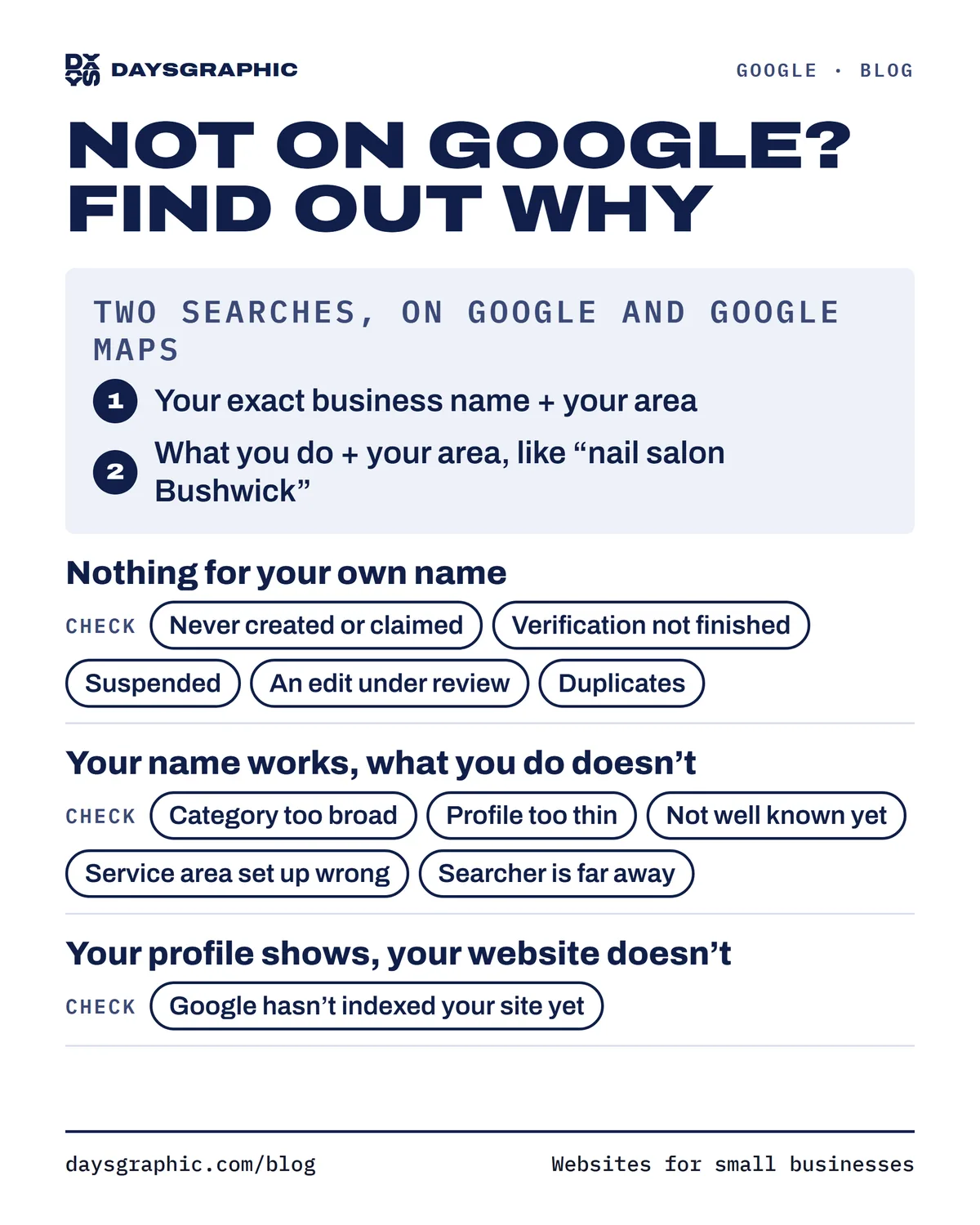
Open a private window on your phone and run two searches, on Google and on Google Maps:
- Your exact business name plus your neighborhood or town.
- What you do plus your area, the way a customer would type it: "nail salon Bushwick" or "plumber near me".
The results tell you where to look:
- Nothing for your own name: start with the first section below.
- Your name works, but what you do doesn't: your profile is live; see the second section.
- Your profile shows, but your website doesn't: skip to the last section.
If you don't show up even for your name
The profile was never created or claimed
Check: if Maps shows no listing for your name and address, Google doesn't know about you yet. If there's a listing with an option like "Own this business?", nobody manages it, so nobody can fix it.
Fix: claim it, or create a new profile if there's none. Our Google Maps guide walks through both.
Verification isn't finished
Check: if your profile still asks you to verify, or says verification is pending, it isn't fully public yet.
Fix: finish the method Google offered (video, call, text, email or postcard). If it's under review, wait, and don't edit your name, address or category meanwhile; that can restart the review.
The profile was suspended
Check: when Google suspends a profile, you'll usually see a notice when you sign in. The listing may disappear from Maps and Search, or stay visible while you can't edit it. The usual cause is a guideline problem: keywords added to the name, an address customers can't visit (like a virtual office or mailbox), or details that don't match the real business.
Fix: correct the problem first, then file an appeal; Google's Business Profile help center explains how. Be ready to prove the business is real, with photos of your sign and storefront or business documents. Don't open a new profile to replace it: a second profile for the same business breaks the guidelines too.
A recent edit is under review
This is a common answer to "why is my business not showing on Google anymore."
Check: did anyone recently change the name, address or category? Google may review bigger edits before publishing them, and meanwhile your profile can show old details or show up less. Also look for changes you didn't make: Google can update a profile from public suggestions, even marking a business as closed.
Fix: give the review time and don't stack more changes on top. If a wrong edit went through, correct it from your profile.
Duplicates are splitting you up
Check: search Maps for your name, phone number and address. If two listings appear for the same business, your reviews and calls are split, and Google may not know which one to show.
Fix: keep the one you manage. For a duplicate nobody manages, open it on Maps, use the option to suggest an edit and report it as a duplicate. If you manage both, ask Google Business Profile support before removing anything, so you keep your reviews.
If you show up for your name but not for what you do
This is very common, and nothing is broken. Your exact name tells Google which business you want; "nail salon near me" puts you in a list with every nail salon nearby, and Google has to choose. Google says it chooses mainly by relevance (how well you match the search), distance (how far you are) and prominence (how well known you are).
Your category is wrong or too broad
Check: your primary category tells Google which searches you belong in. "Beauty salon" when you're mainly a nail salon can keep you out of the searches that matter most.
Fix: pick the most specific category for your main business, and add secondary ones for anything else you really do.
Your profile is too thin to match
A profile with just a name and phone number gives Google little to match. Fill in the description, services, products, hours and photos, in plain words. Our Google Business Profile checklist goes item by item.
You're not well known yet
Google says your review count and rating factor into prominence, along with what it finds about you across the web and your position in regular search results. Ask every customer for a review and reply to them, keep your name, address and phone identical everywhere you're listed, and link your profile to a real website (here's why that matters even with Instagram).
Your service area is set up wrong
Check: if you go to your customers, is your home address showing even though nobody visits? Do your service areas match where you actually work?
Fix: hide the address and list the areas you really serve. A longer list won't put you in front of everyone in it; distance still counts.
The person searching is far away
"Near me" results are built around the person searching. From home across town, you might not see your own shop, while a customer two blocks away would. Test near your business, or add your neighborhood to the search.
If your profile shows but your website doesn't
Google hasn't indexed your website yet
Your website gets added to Google's search index separately from your profile, and a new site can take days or weeks to appear.
Check: search Google for site: followed by your domain, like site:yourbusiness.com. If nothing comes up, your pages aren't indexed yet. For a closer look, Google Search Console is free and shows which pages are indexed.
Fix: in Search Console, submit your sitemap and request indexing for your main pages. Also check your website builder's settings: some have an option to hide the site from search engines that gets left on after launch.
Want a second pair of eyes?
Still not sure what's holding you back? Our free checkup looks at your Google profile, reviews and website the way a new customer would, and lists what to fix first, in about a minute. Or send us a message and we'll go through it with you.